Free
€0
Stays free after your trial
- Signing
- Certificates
A native Mac app
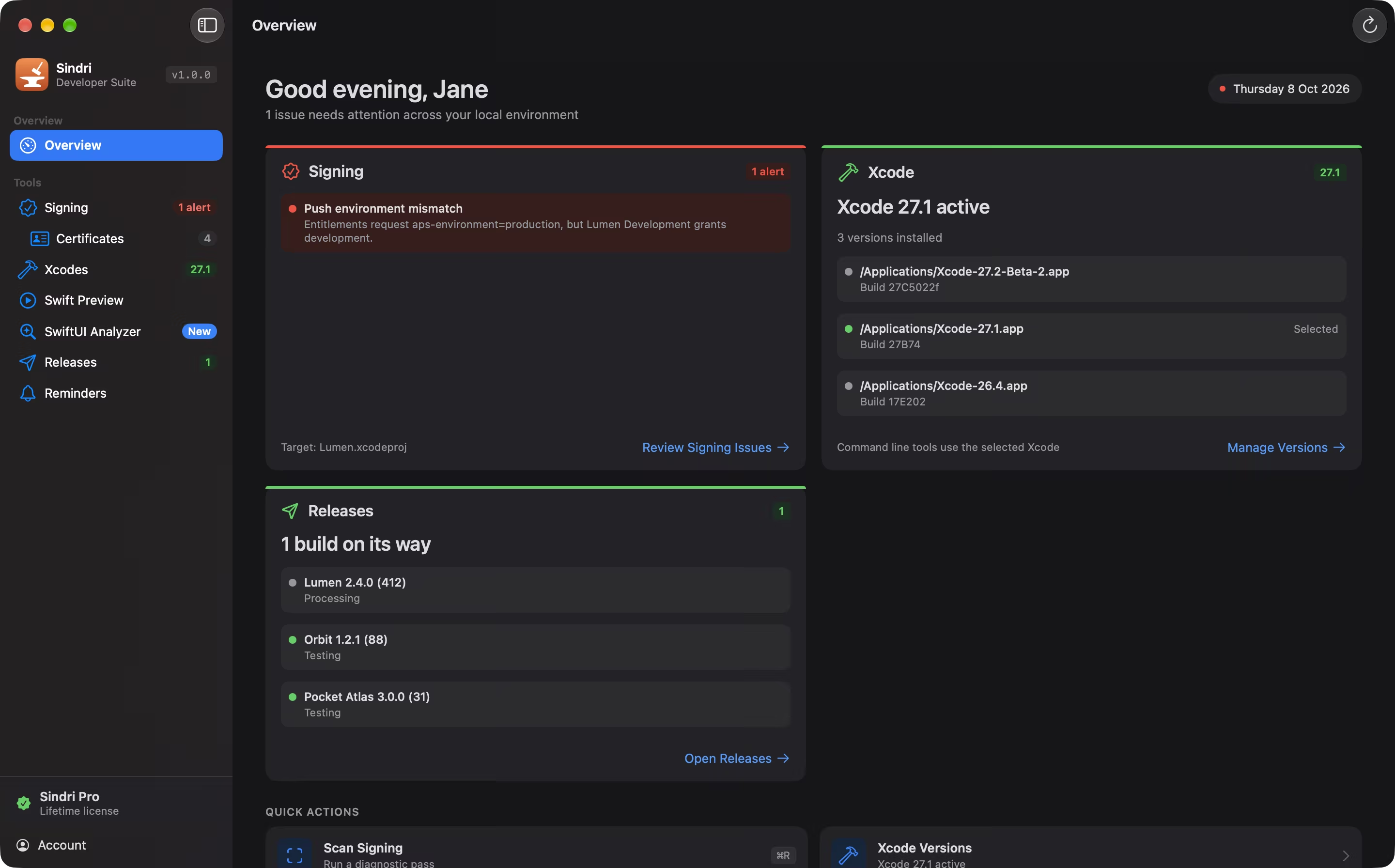
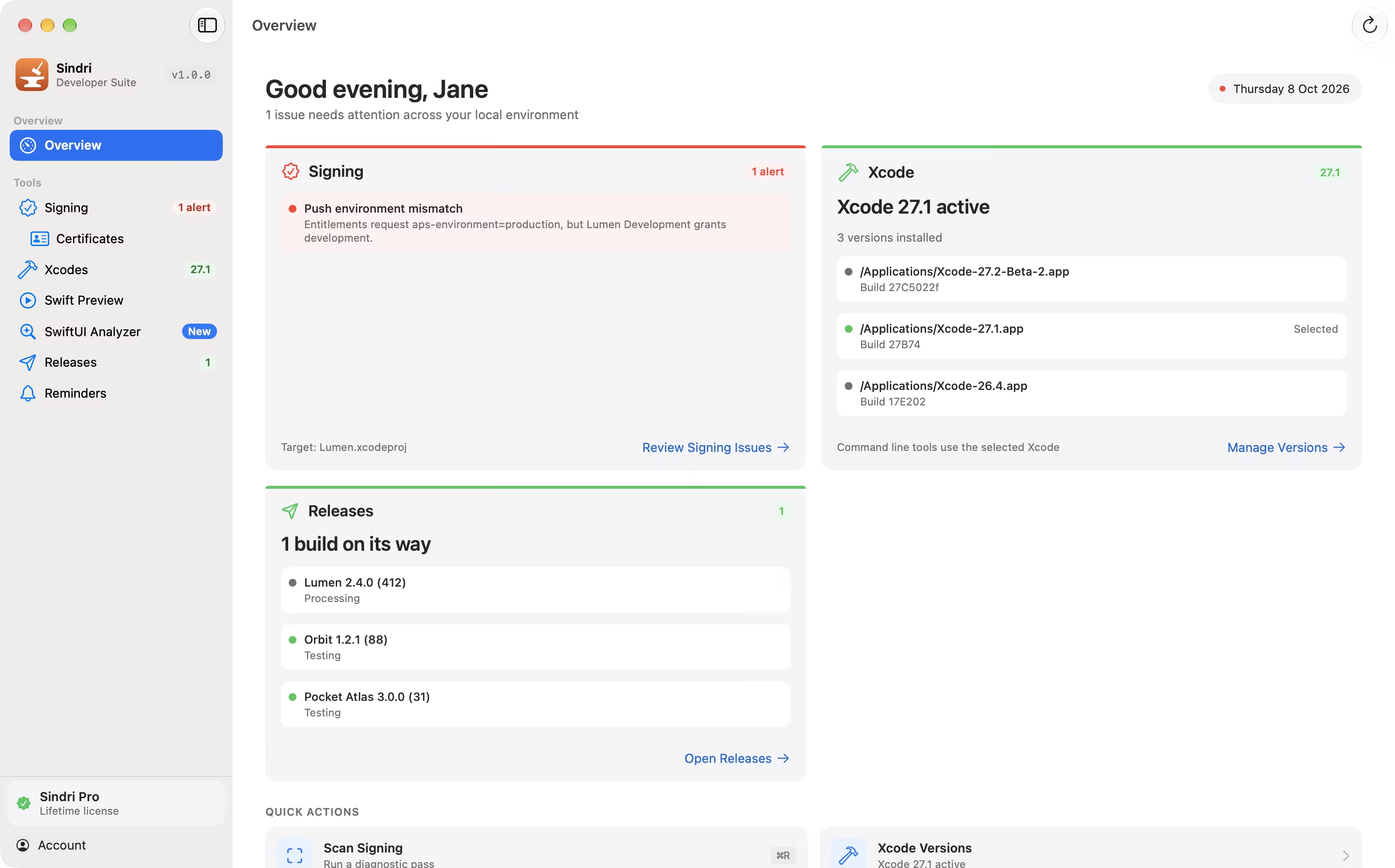
Diagnose signing, renew certificates, switch Xcode versions, preview Swift, analyze SwiftUI views, follow your releases, and hear about expiries before they happen. Seven tools, one native Mac app.
Every tool free for 14 days. Signing and Certificates stay free forever.
Pricing
Try all seven tools first. No subscription starts when the trial ends: keep the free tools, or buy Sindri Pro if you want the rest.
Days 1 to 14
Try every feature, including Pro.
After your trial
Signing and Certificates stay free forever.
Whenever you’re ready
Get Sindri Pro for €14.99 — a one-time purchase, for up to 3 Macs.
€0
Stays free after your trial
€14.99
One-time purchase · No subscription
One license for up to 3 Macs
Demo
A walk through every tool, recorded in Sindri’s demo mode: the names and numbers on screen are fictional.
Features
Each one answers a question you would otherwise spend twenty minutes on.
Why won’t this project sign?
Point Sindri at a project and it checks the whole chain: expiring or revoked certificates, missing private keys, and profiles that don’t match the certificate, the device or the entitlements. Each finding says what is wrong and where.


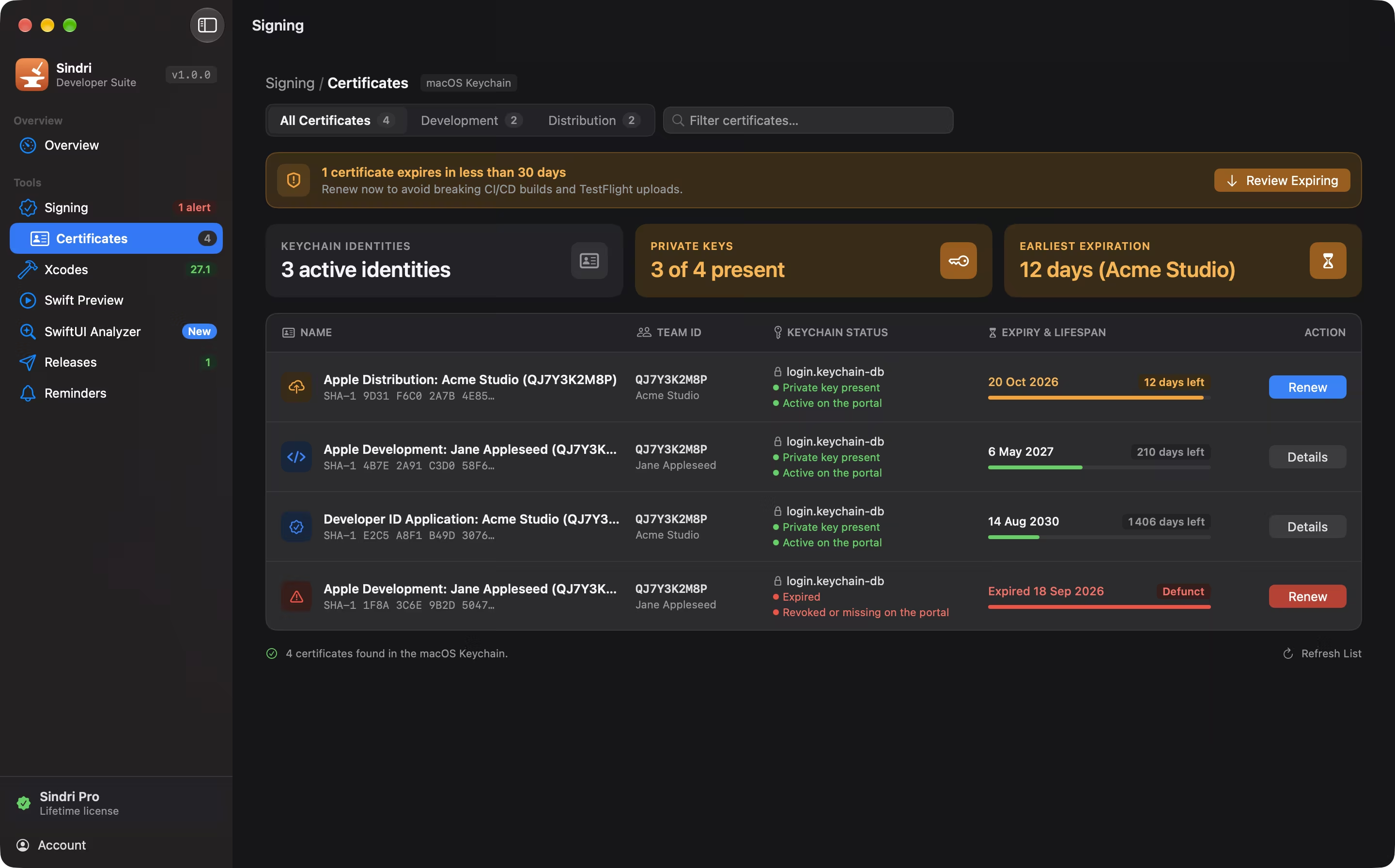
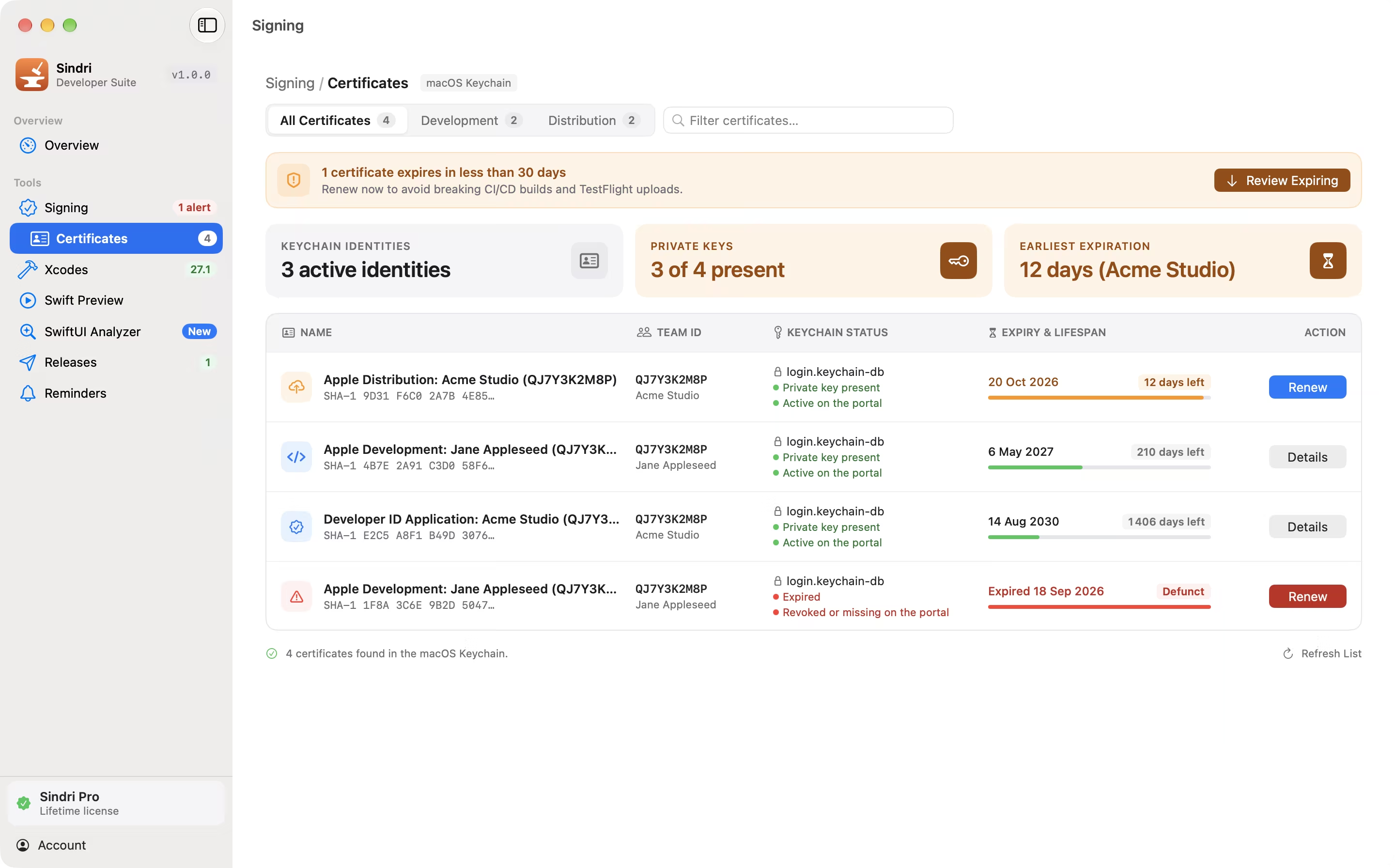
What is about to expire?
Every signing certificate in your keychain with its expiry, whether its private key is there, the profiles that use it, and whether the portal still lists it. Renew one in a click: a new key and certificate, and the affected profiles created again.
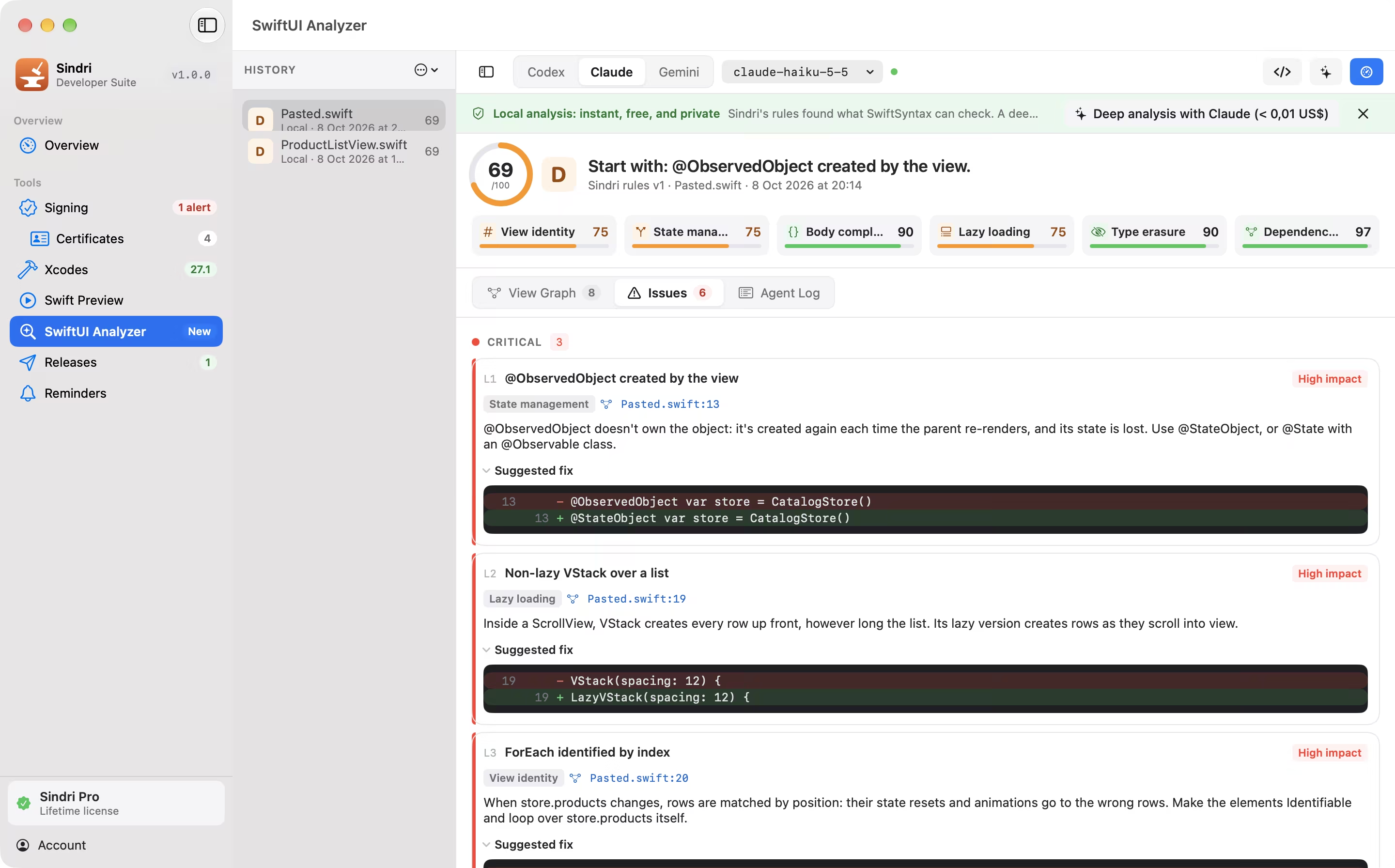
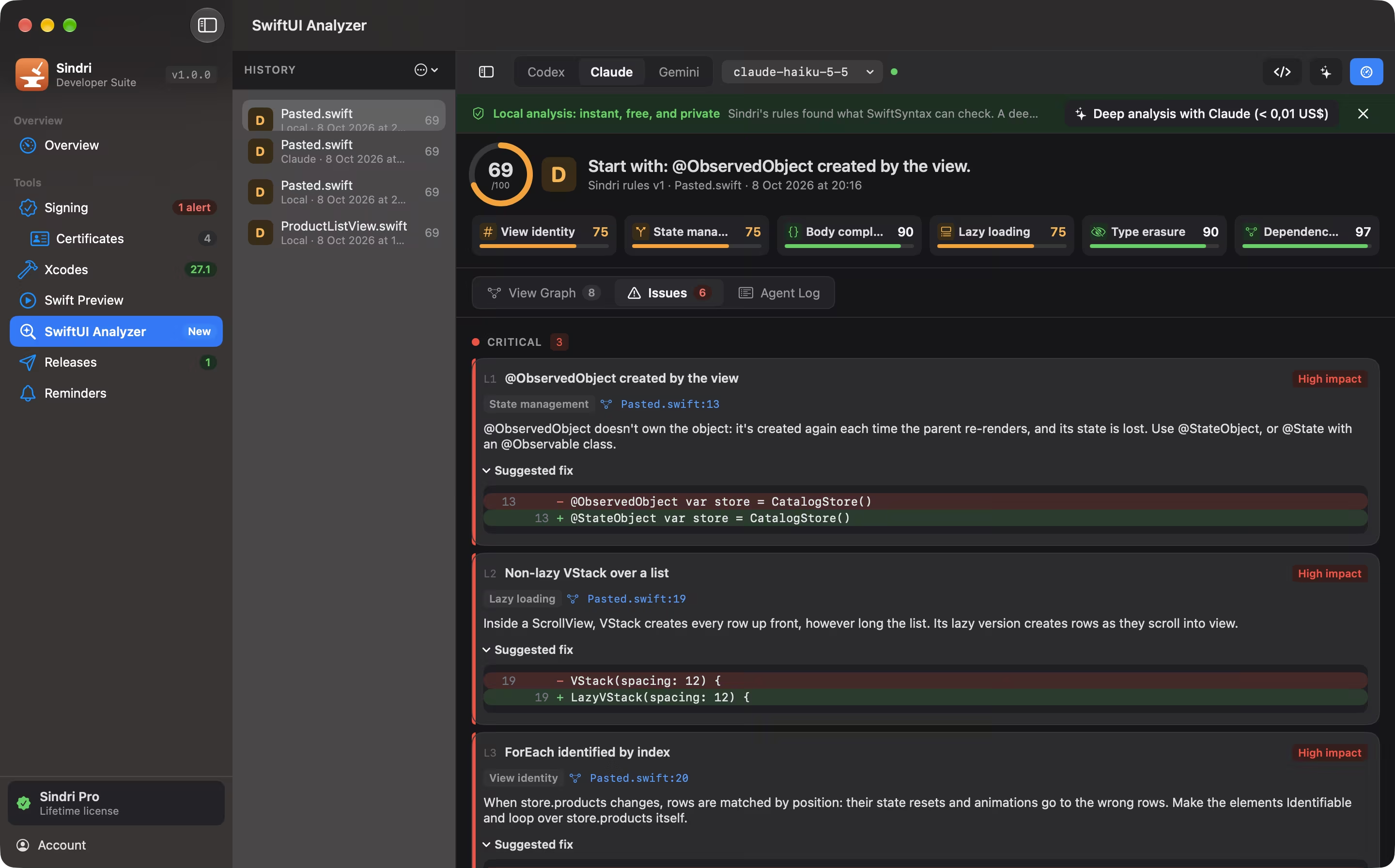
Why does this view re-render?
Paste a view or drop its files. Sindri draws the hierarchy as a graph with its state dependencies and re-render risk, scores it out of 100 across six categories, and shows each issue with its fix as a diff.
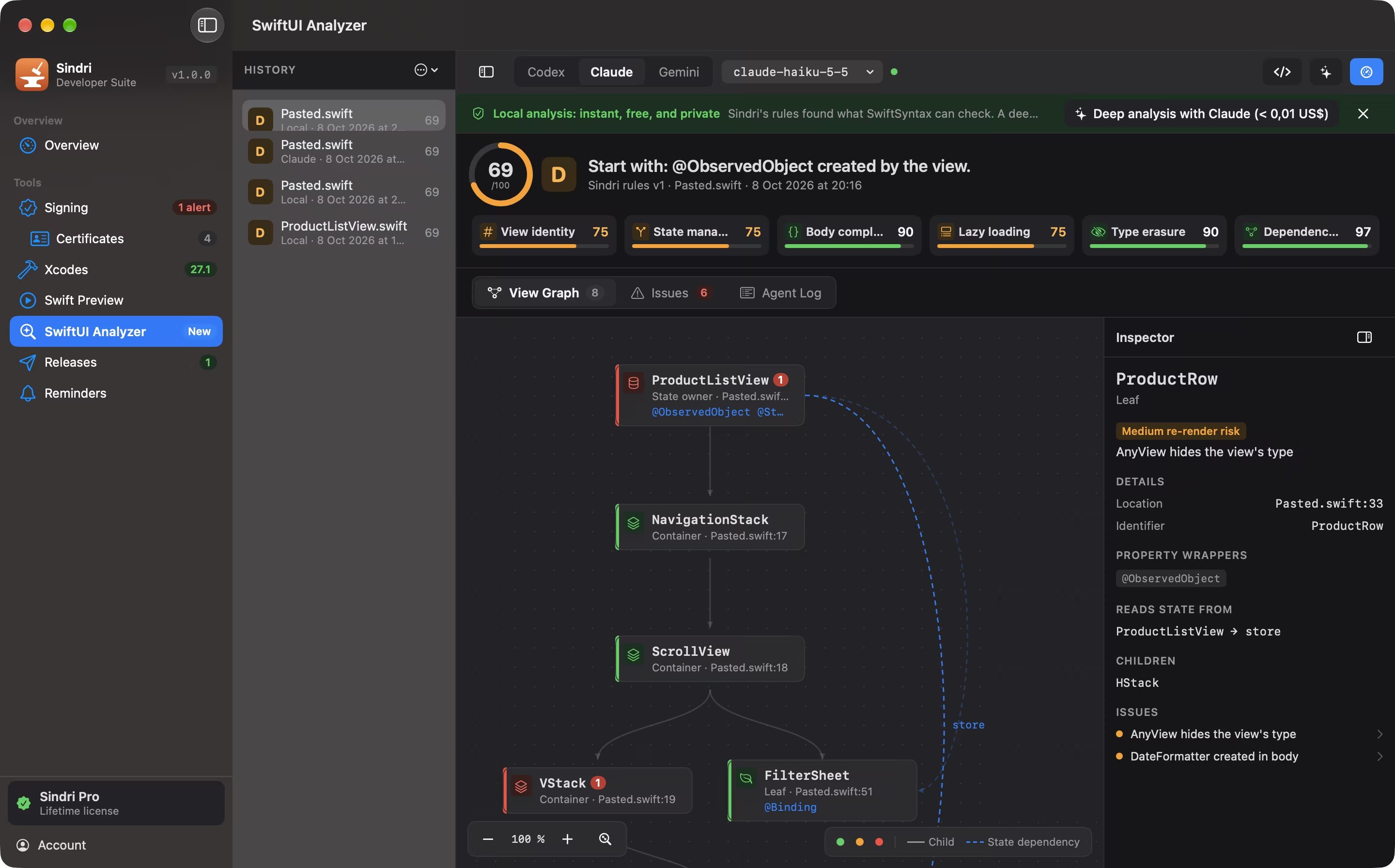
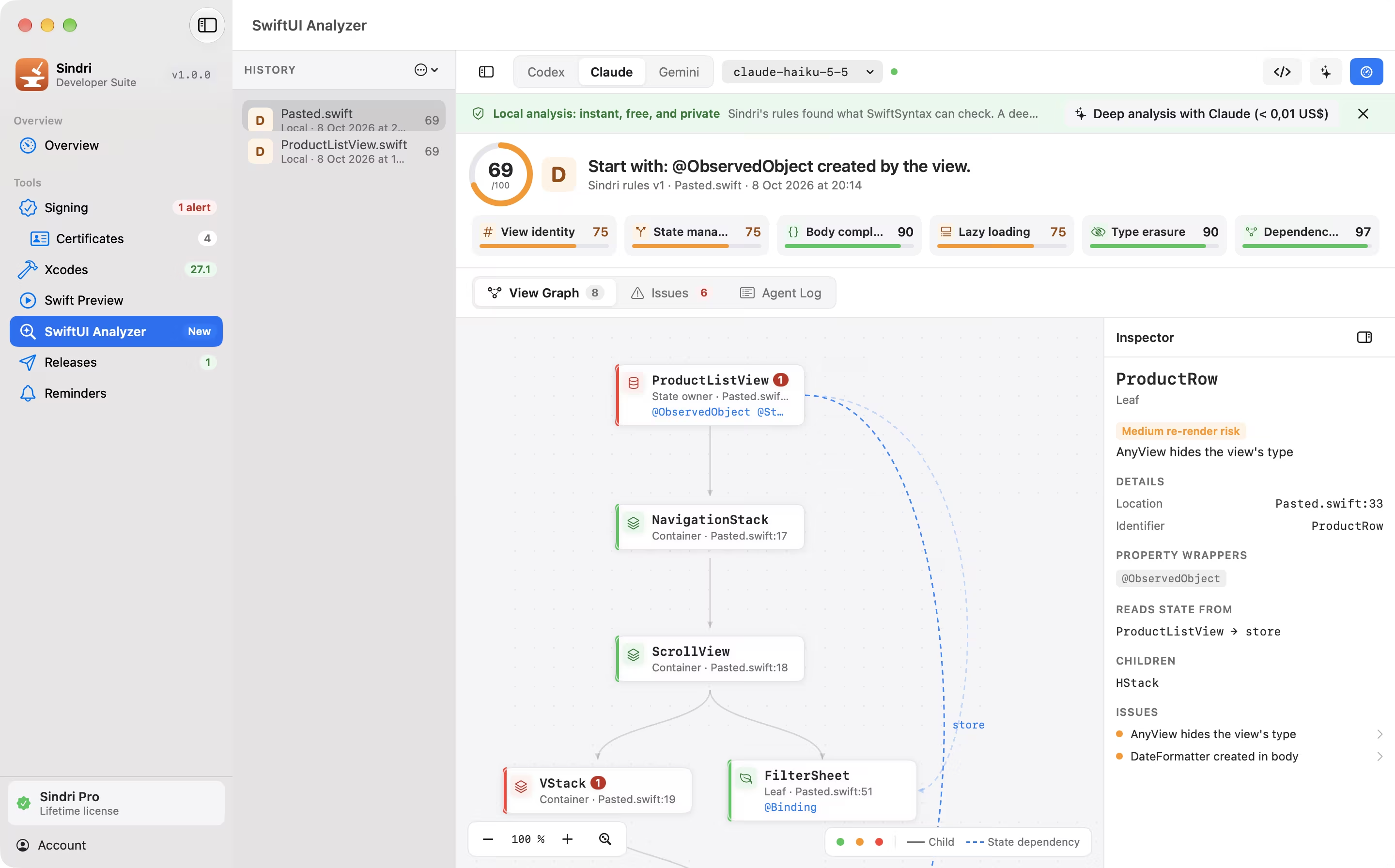
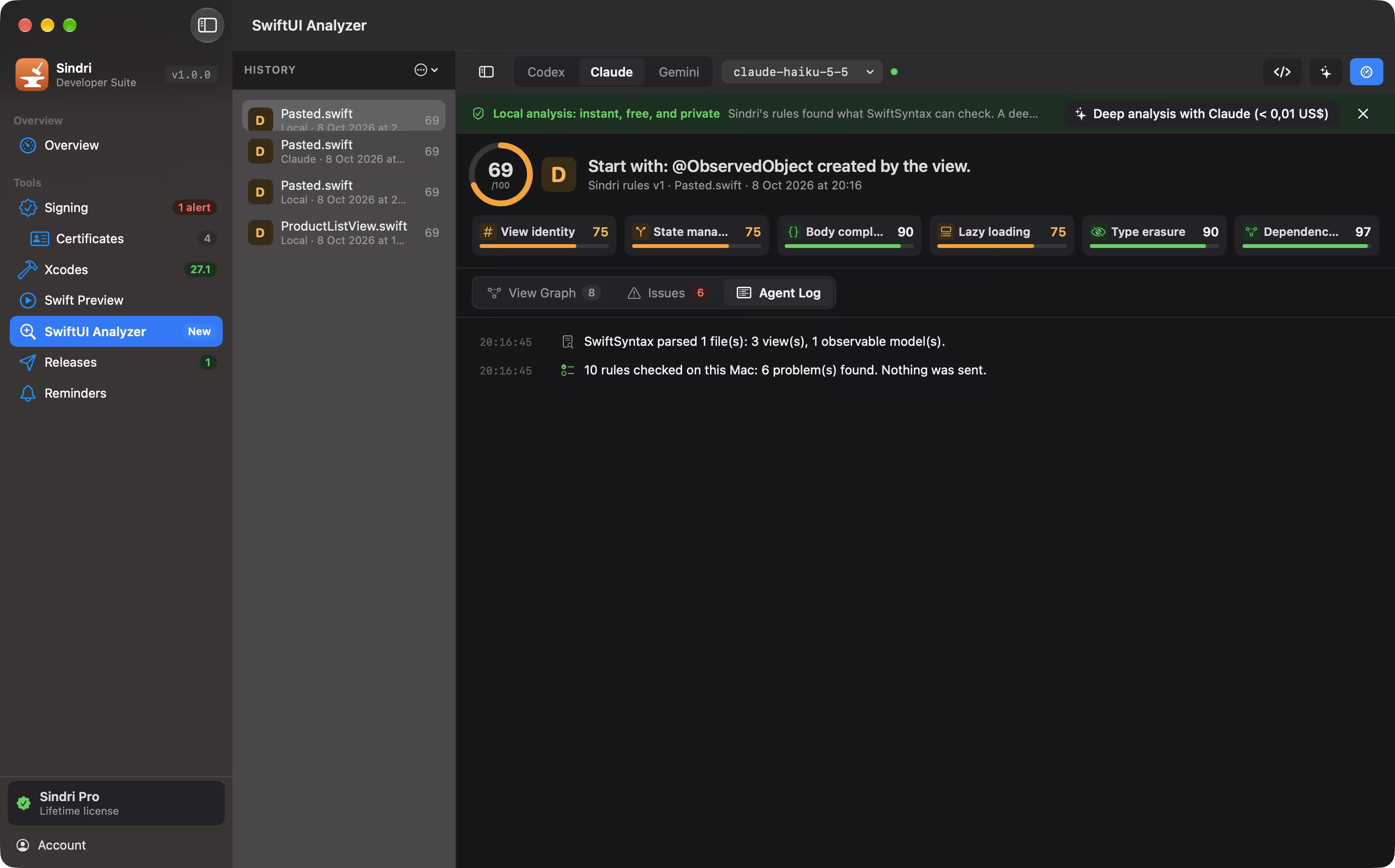
Analyze parses your files with SwiftSyntax and runs Sindri’s rules on your Mac: ForEach identity, non-lazy stacks, AnyView, objects created in a body. Instant, and nothing is sent.
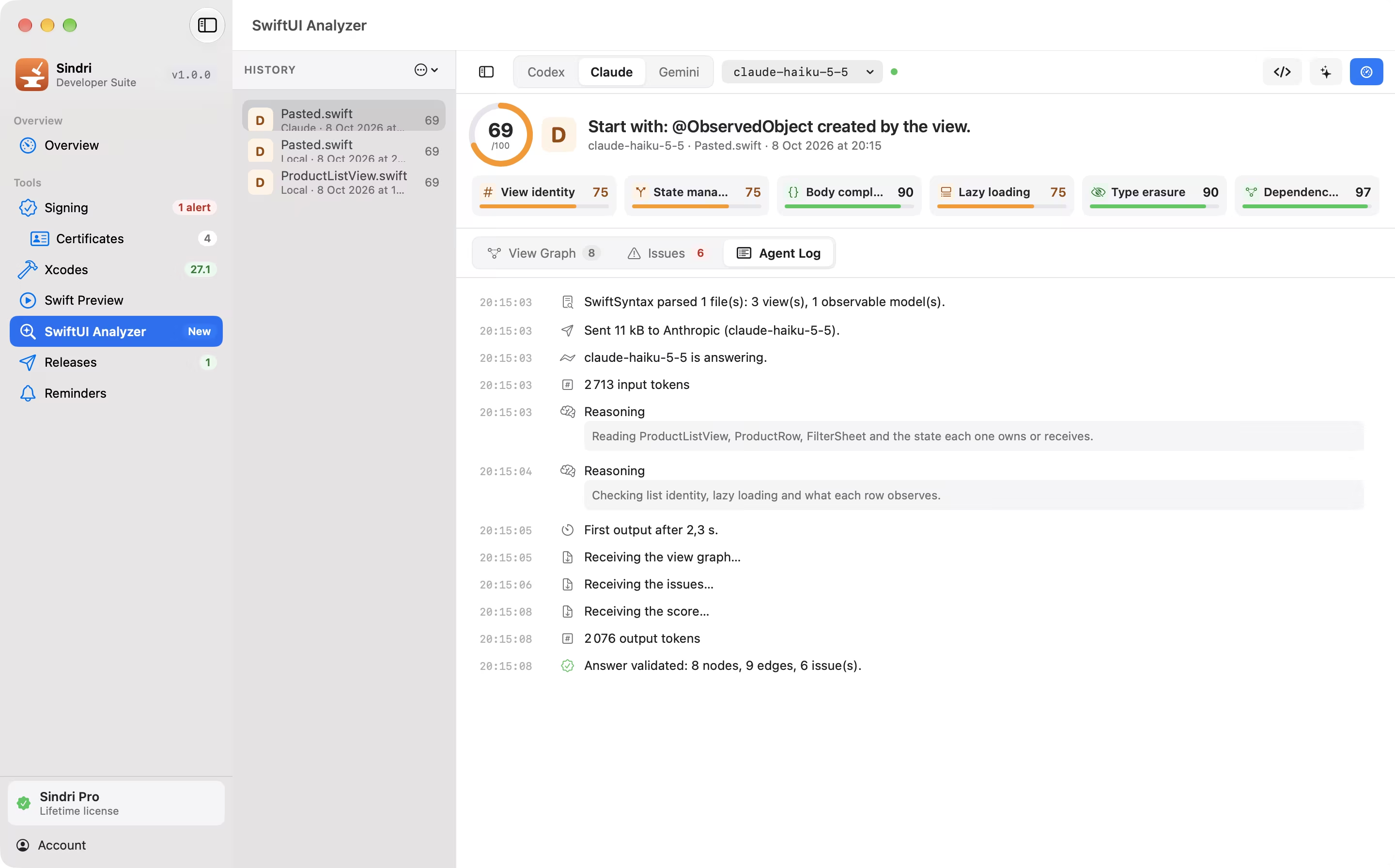
Deep analysis sends the files you chose to Codex, Claude or Gemini with your own API key. With Claude, the cost is estimated before anything leaves.
The agent’s answer has to follow a strict contract, and the views and line numbers in the graph still come from your code, not from the model.
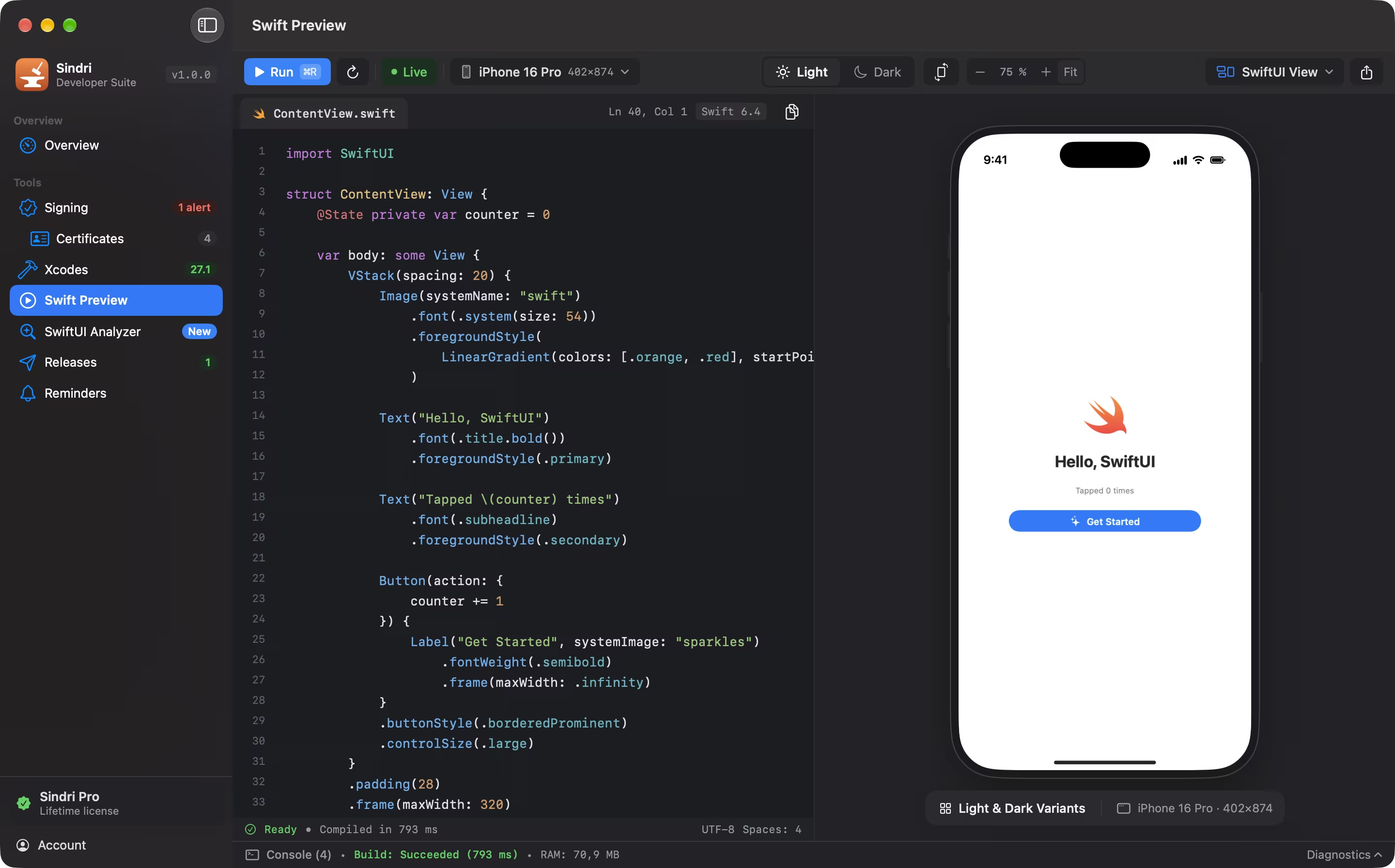
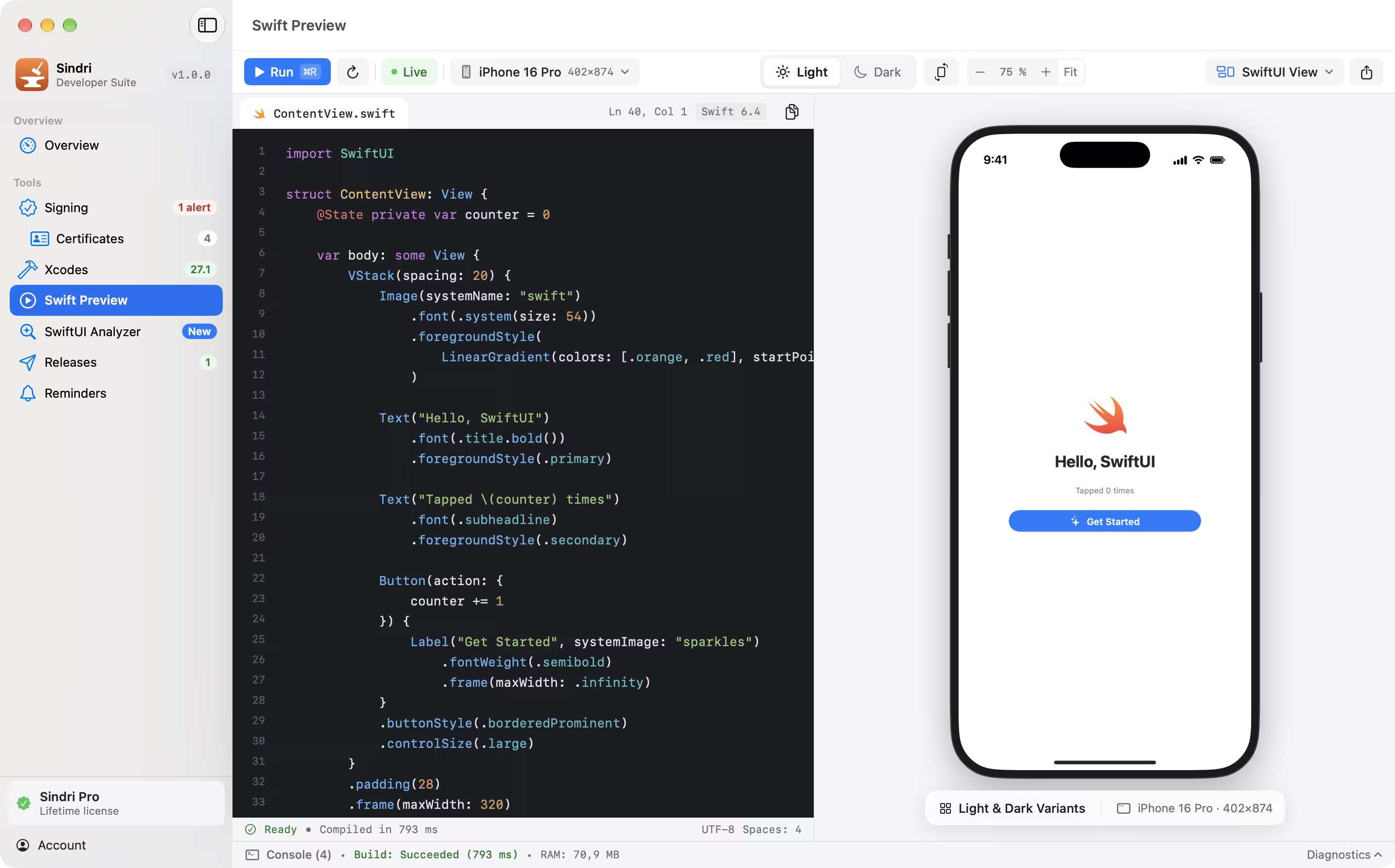
A scratchpad that compiles.
A SwiftUI view rendered next to its code in a device frame, in light and dark, or a Swift program next to its output. It builds with your installed toolchain and runs in its own process, so a crash never reaches the app.
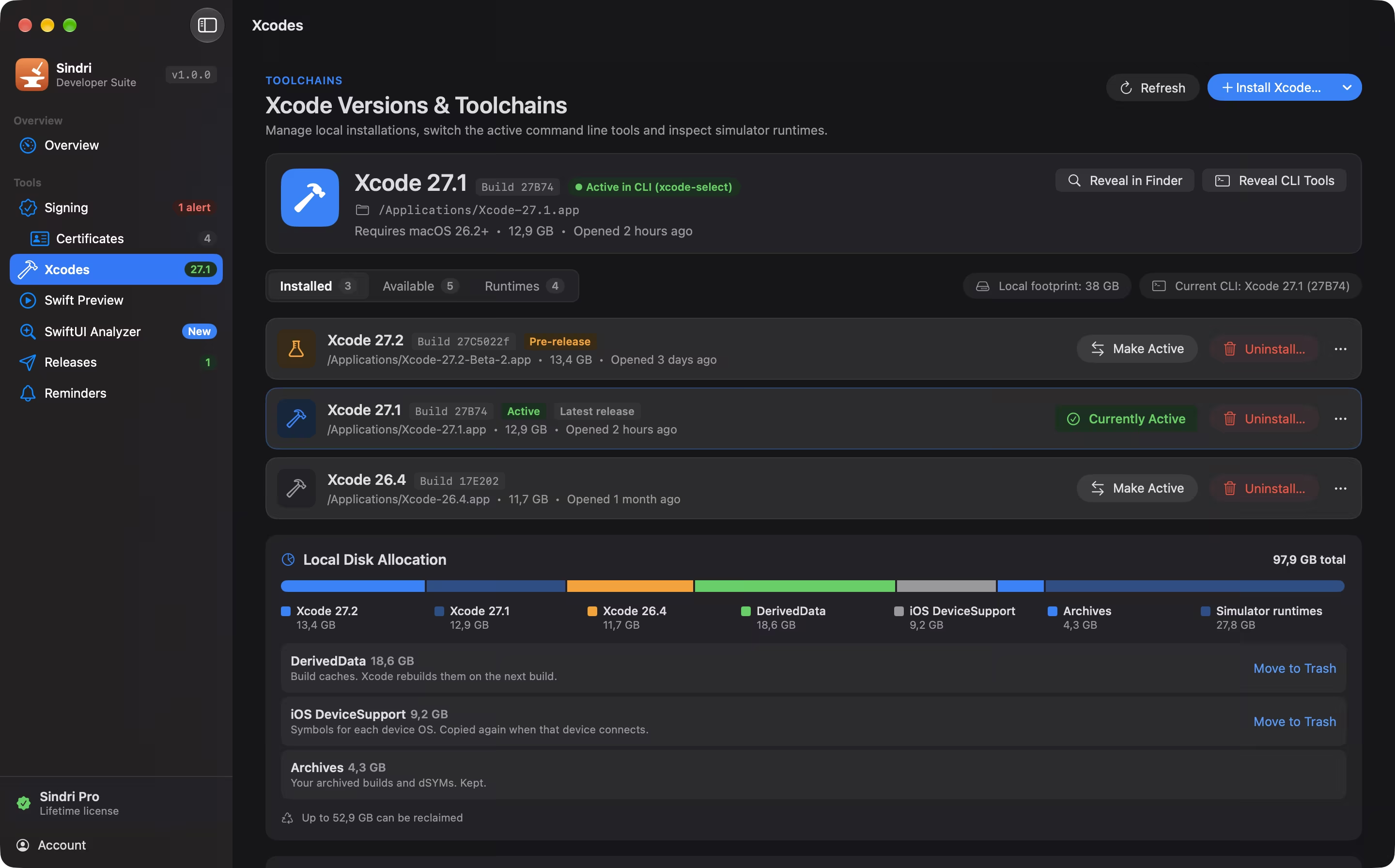
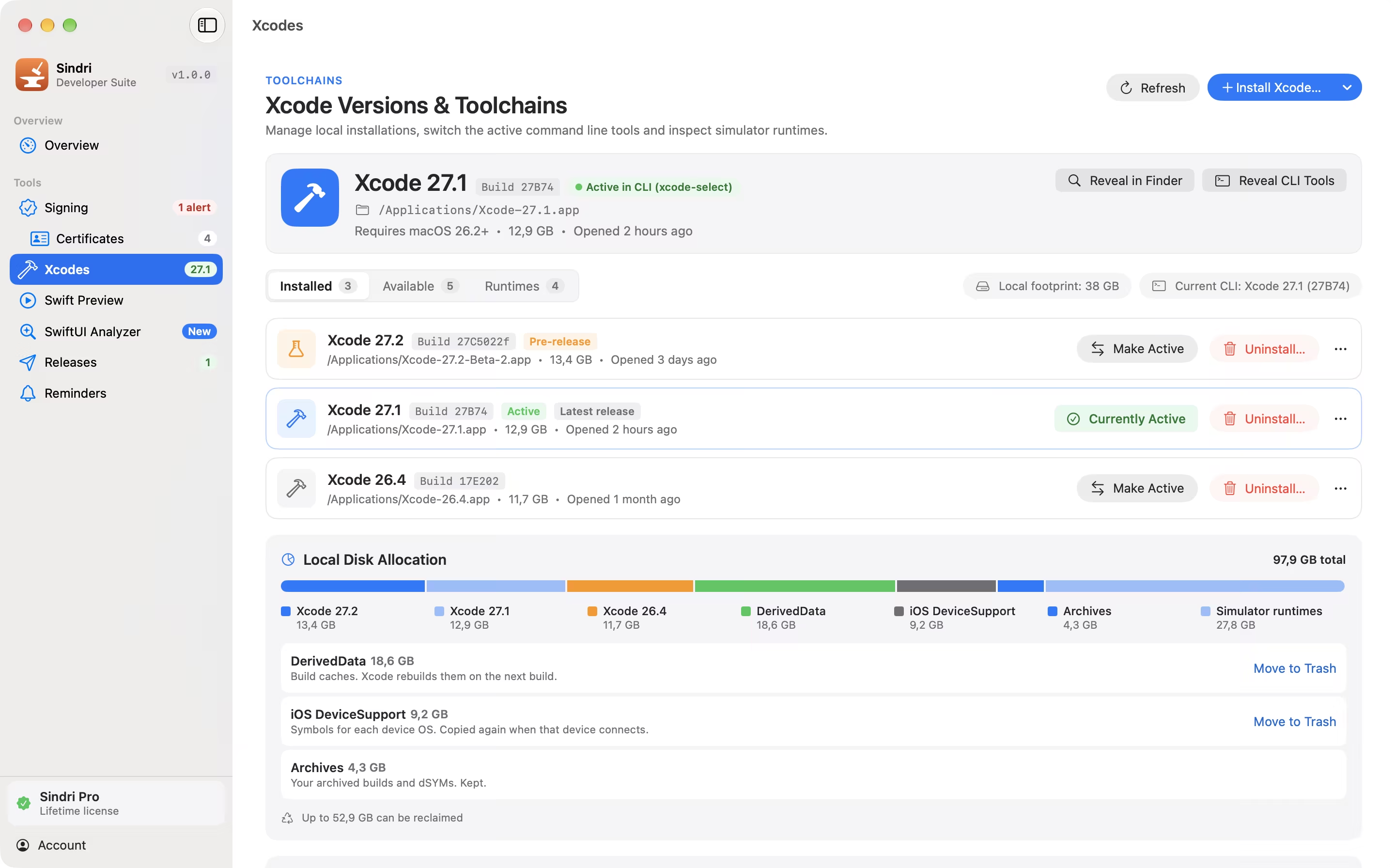
Which Xcode is this, again?
The versions installed, the active command line tools, simulator runtimes and what they cost in disk space. Install any Xcode release, switch between them, and uninstall one to the Trash.
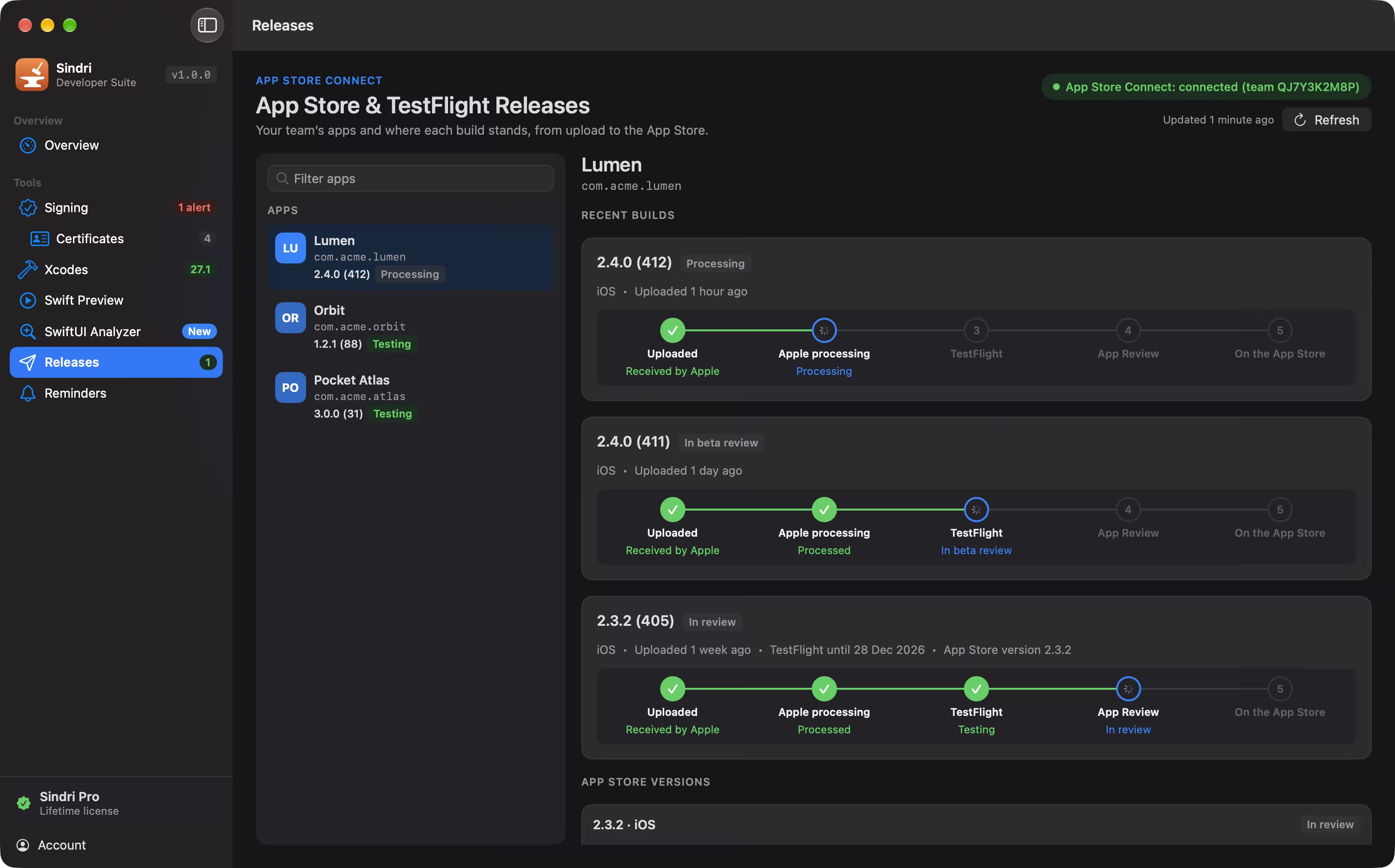
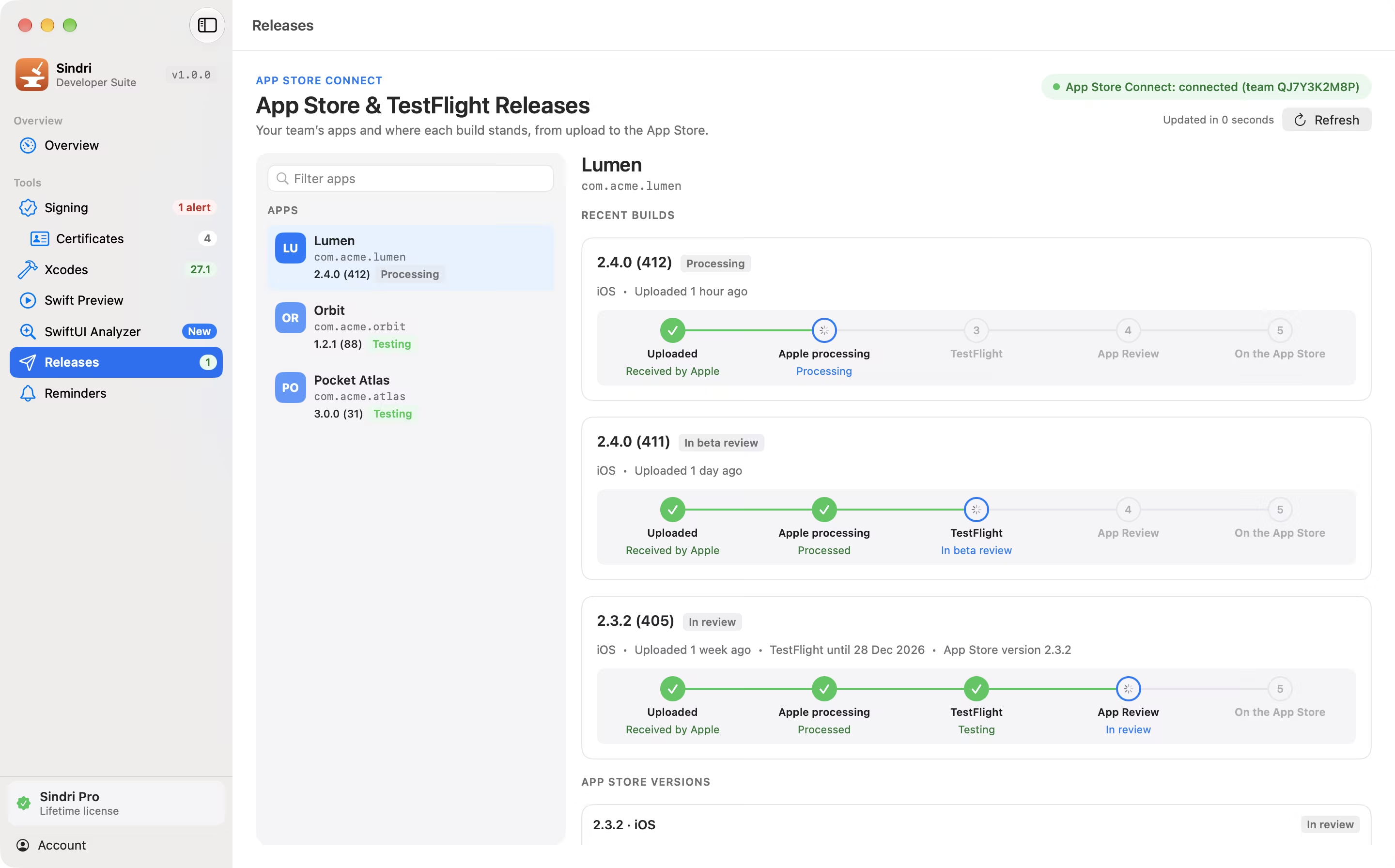
Where is build 412?
Your team’s apps and where each build stands, step by step: uploaded, processing, TestFlight, App Review, on the App Store.


Before it expires, not after.
Local notifications ahead of certificate and profile expiry, and the log of everything Sindri changed on your behalf.
Screenshots
Sindri follows your Mac’s appearance. These are the app’s own captures, with demo data.
Why Sindri
FAQ
Every tool is free for the first 14 days. After that, Signing and Certificates stay free, and Sindri Pro unlocks Xcodes, Swift Preview, SwiftUI Analyzer, Releases and Reminders: a one-time purchase of €14.99, for up to 3 Macs. There is no subscription. After buying, open Sindri › Activate and paste the license key from your receipt email.
Yes. The 14-day trial of every Pro tool starts when you choose it in the app, not at install, and runs once per Mac. When it ends, Signing and Certificates stay free and the Pro tools wait for a license.
A Mac with macOS 15 or later, Apple silicon and Intel. Swift Preview builds with the Xcode toolchain installed on your Mac. Releases and the Developer portal checks use an App Store Connect API key from your own team. The app is in English and French.
There is no Sindri account and no Sindri server. Requests go to Apple with your own credentials, and to Lemon Squeezy to check your license. SwiftUI Analyzer’s local analysis sends nothing. Its deep analysis, when you ask for it, sends the files you chose to the AI provider you picked, with your own key, after a notice the first time.
No. Analyze runs locally with Sindri’s own rules. A key from OpenAI, Anthropic or Google is only needed for deep analysis, and it stays in your Keychain.
Only when you ask. It reads by default; deleting a certificate from the keychain or renewing one is confirmed first with a summary of what will change, then recorded in the audit log.
Yes. One Sindri Pro license activates up to 3 Macs, for example your desktop, your laptop and a build machine.
Download the DMG, open it and drag Sindri to Applications. The app is signed with a Developer ID and notarized by Apple.
New versions are published on the download page. Download the latest DMG and replace the app; your license and settings stay in place.

Then keep Signing and Certificates for free, or unlock everything for €14.99, once, on up to 3 Macs.
macOS 15 or later · Apple silicon and Intel